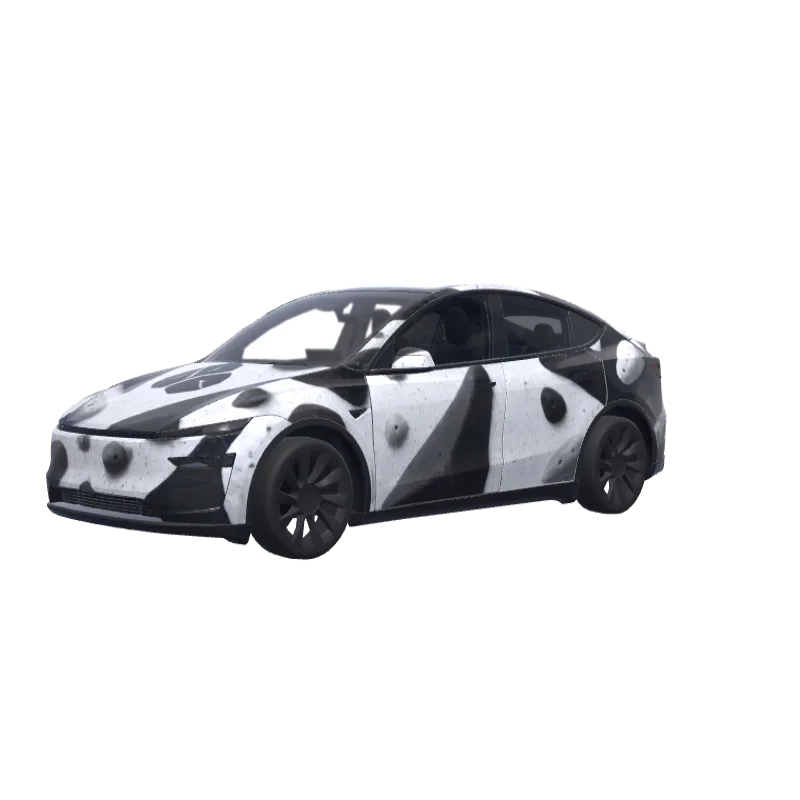
Bouldering Gym Problem
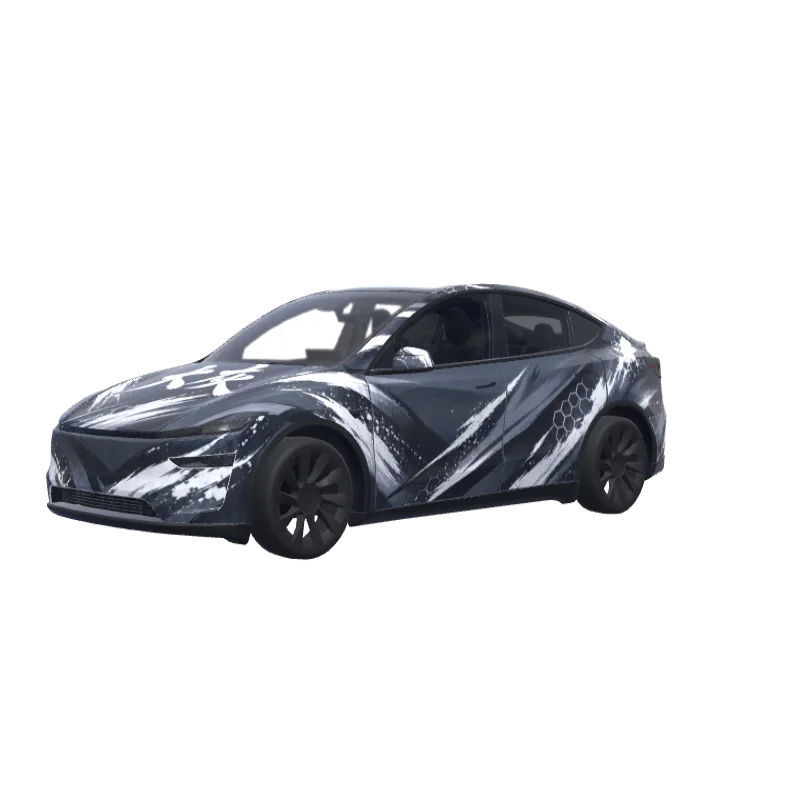
Bold black and white blocks for a bouldering gym fan, with the word "problem" above the rear plate.
Mason Wallace
00
Passt für Model Y (2025+) Premium
Wrap-Vorlagen unterscheiden sich je nach Version. Prüfe vor der Installation, ob sie zu deinem Auto passt.
PNG · 1024 × 1024 · Kostenloser Download · Ohne Anmeldung
PromptAnzeigen
On the attached reference, there are 2 elements, both referring to the bouldering gym I’m attending - at the top, there’s a “problem” word, which I’d like to include in this exact font on the rear of the car - not where the registration plate would land, but rather above it. Make it fit to the overall design of the app and lay among the boulder structures (that I’ll describe below in a minute). Right below the “problem” word on the reference, there’s a logotype of this bouldering wall. I want to use it in the design - preferably place it on middle of the hood. The overall design of the wrap has to be minimalistic, modern, only depicting structures that resemble bouldering holds (that I’ve mentioned before), apart of the two elements sourced from the reference image. Keep it black and white. Do not make the design overly complicated.
Weitere Model Y (2025+) Premium-Wrap-Designs
Alle Model Y (2025+) Premium-Designs
Installation in Tesla Paint Shop
Wrap-PNG herunterladen.
Lade diesen Model Y (2025+) Premium-Wrap als PNG mit 1024×1024 Pixeln und höchstens 1 MB herunter.
Mit der Tesla App hochladen.
Öffne in der Tesla App v4.59.0 oder neuer Creations → Wrap → Upload und wähle das PNG.
In Paint Shop anwenden.
Öffne Toybox → Paint Shop → Wraps, wähle den Wrap und sieh ihn dir am 3D-Modell deines Fahrzeugs an.
Häufige Fragen
Bouldering Gym Problem ist ein kostenloser Wrap für den Tesla Model Y (2025+) Premium. Du lädst ihn als 1024×1024-PNG im Format herunter, das Tesla Paint Shop erwartet, und installierst ihn mit der Tesla App oder einem USB-Stick – ohne Konto.
Ist dieser Model Y (2025+) Premium-Wrap kostenlos?
Ja. Dieser Model Y (2025+) Premium-Wrap kann kostenlos als PNG heruntergeladen werden, ohne Konto oder Zahlung.
Welches Dateiformat und welche Größe werden verwendet?
Der Download ist ein PNG mit 1024×1024 Pixeln und maximal 1 MB. Tesla akzeptiert PNGs von 512×512 bis 1024×1024 Pixeln; die Vorlagengröße wird empfohlen.
Wie installiere ich diesen Wrap auf meinem Model Y (2025+) Premium?
Lade das PNG herunter und nutze in der Tesla App v4.59.0 oder neuer Creations → Wrap → Upload. Alternativ kopierst du es in einen „Wraps“-Ordner auf einem USB-Stick und öffnest Toybox → Paint Shop → Wraps.
Kann ich das Design vor der Verwendung anpassen?
Ja. Öffne Bouldering Gym Problem im kostenlosen Wrap-Editor, ändere Farben, füge Text oder Bilder hinzu und exportiere dein eigenes PNG.